

v8.7 [Jul 10, 2015]
Features and Improvements
Basic Http Sensor Added ability to check only HTTP header
Global Counters (Open Monitor and Flows) can be used by map widgets now
Bug Fixes
major issue where new flows did not appear sometimes
major issue with web access maps where nodes could not be clicked
major issue with sometimes broken map layout
major issue with SMS messages where information about node was missing
major issue with Connection Broker sometimes losing connections and passwords to servers
major issue if node was down the SNMP Location field was empty
major improved importing NetCrunch Atlases from older NetCrunch versions (7.x and older)
major autostart option in Connection Broker couldn't be disabled
major issue related to Email Sensor (IMAP4/POP3) - content search event wasn't triggered
minor while console in automated full screen mode screen saver has to be disabled
minor decoding incoming flow frames (for both sFlow and Netflow)
Various other minor issues have been fixed.
v8.1 [Sep 2, 2014]
Maintenance Release
This is strongly recommended update for all existing customers. The following issues have been fixed:
- MajorFixed performance issues when accessing SNMPv3 nodes
- CriticalOut of memory when importing data from NetCrunch 7.
- CriticalOut of memory during backup of large number of daily trend files
v7.1 [Mar 25, 2013]
New Monitors
Upcoming version includes several new Monitoring Engines:
NetFlow Monitor
VMware ESX Monitor
Switch Traffic Monitor
Apache Server Monitor
NetCrunch Open Monitor
Mobile
NetCrunch 7 includes thin Mobile HTML5 Client designed for smart phones and tablets - no need to install anything.
Smarter
NetCrunch 7 allows you to do more things automatically. Whenever a new building or location is added, the program automatically creates all views for them and reflect their state on the dashboards.
Easier
Node properties can be easily extended now - it gives you the ability to organize your data the way you need it.
NetCrunch 7 introduces new Monitoring Packs that make monitoring configuration simpler.
Redesigned UI
Who has time to read the documentation anymore? Do you?
Regardless how you use NetCrunch – everyday for visual real time monitoring or as a background notification system – you need to solve your network problems fast without digging in the program guide.
We have redesigned 80% of NetCrunch UI – removed much of visual clutter, improved navigation, added Dashboard and Top Charts.
Raw, meaningless data has been transformed into easy-to-understand visual information.


You can Infinite port forwarding until the destination IP address is achieved.
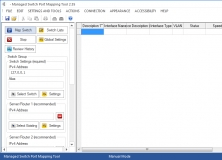

Discovers devices attached to port connectors on an SNMP managed network switch.


Named Pipe TCP Proxy - utility which provides access to named pipes on Windows.


